There are no items in your cart
Add More
Add More
| Item Details | Price | ||
|---|---|---|---|

In 2026, almost every E-commerce brand and even the bigger companies are all using Meta Ads to capture audiences on Facebook and Instagram.
And why not? Social media is the new TV; almost everyone on earth is connected to one platform or another, and no brand can really miss out on the opportunity to reach as many people as they can.
That's why in 2025 alone, Meta earned around 196 billion dollars through Meta Ads. That many in-demand meta ads are.
That's why many new brands get hyped up seeing their competition and start to run Meta ads without any prior knowledge, and they are hit with a serious problem when Meta stops spending money on their active ads.
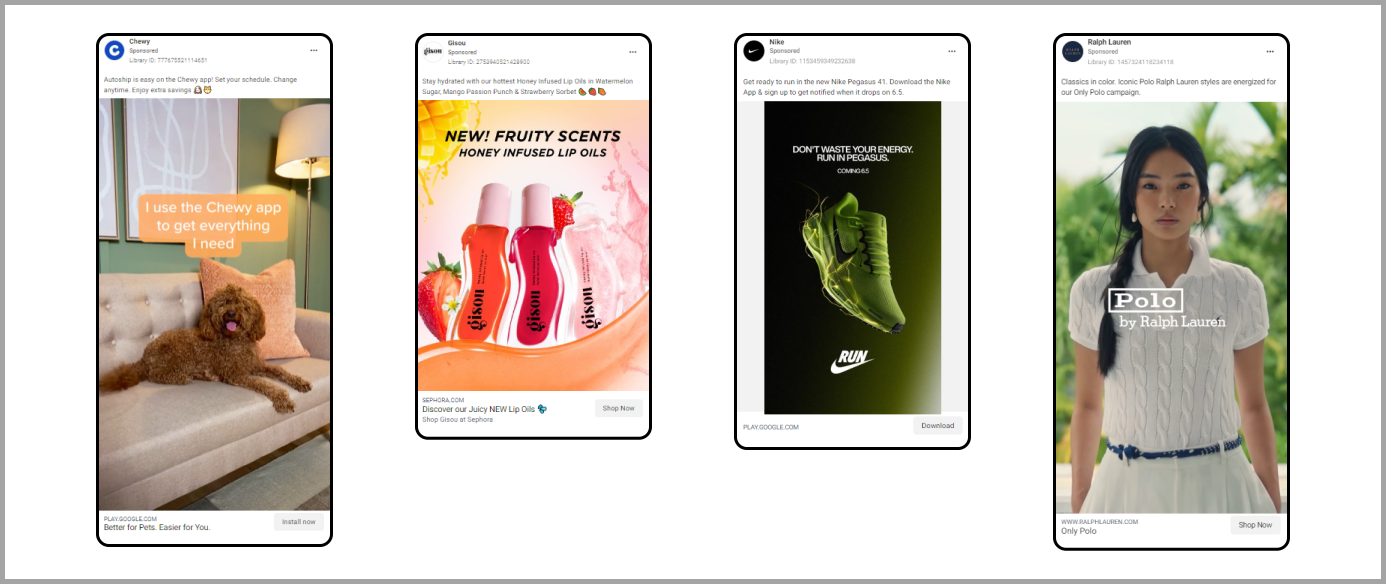
At first glance, everything looks fine. Your campaign is live, and your ads are active, yet your budget remains untouched, and impressions are zero.
Because Meta's algorithm refuses to spend money, your ads are not shown to anyone, and your reach comes to a full stop, and it can feel frustrating.
This usually happens when something in your campaign setup or algorithm prevents your ads from participating properly in the ad auction.
But worry not; in most cases, this problem can be fixed easily once you identify the cause,
and that's why below are some of the most common reasons as to why your Facebook ads are not spending money and how you can fix them.
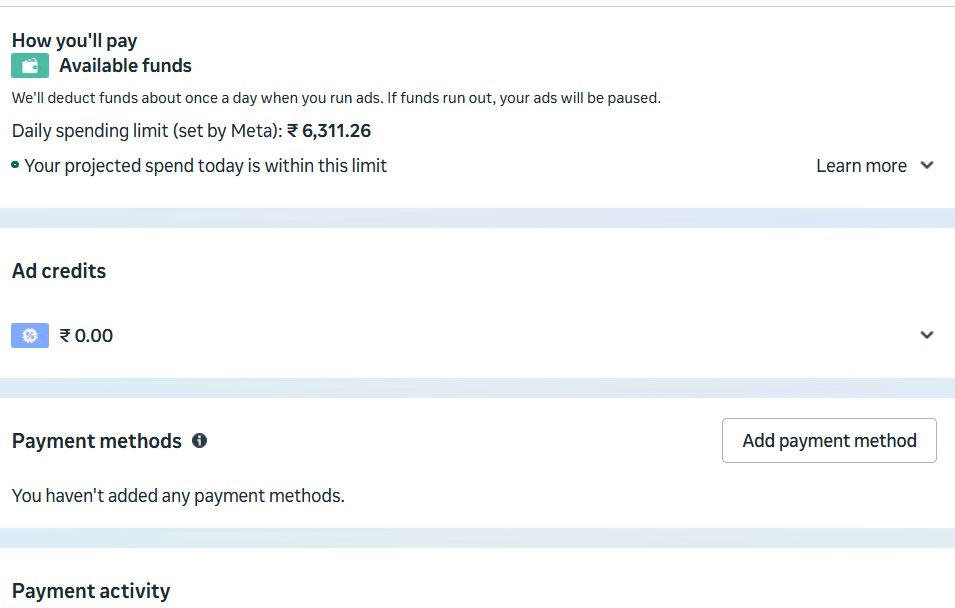
and that's why the simple fix for this problem is to grow your account and eventually, with time, your limit increases, and your account can spend more money.
Some of our clients also had this problem initially, where their spend threshold was low, but with time, now they are able to spend even 1 lakh per day for their ads. So the key here is patience.
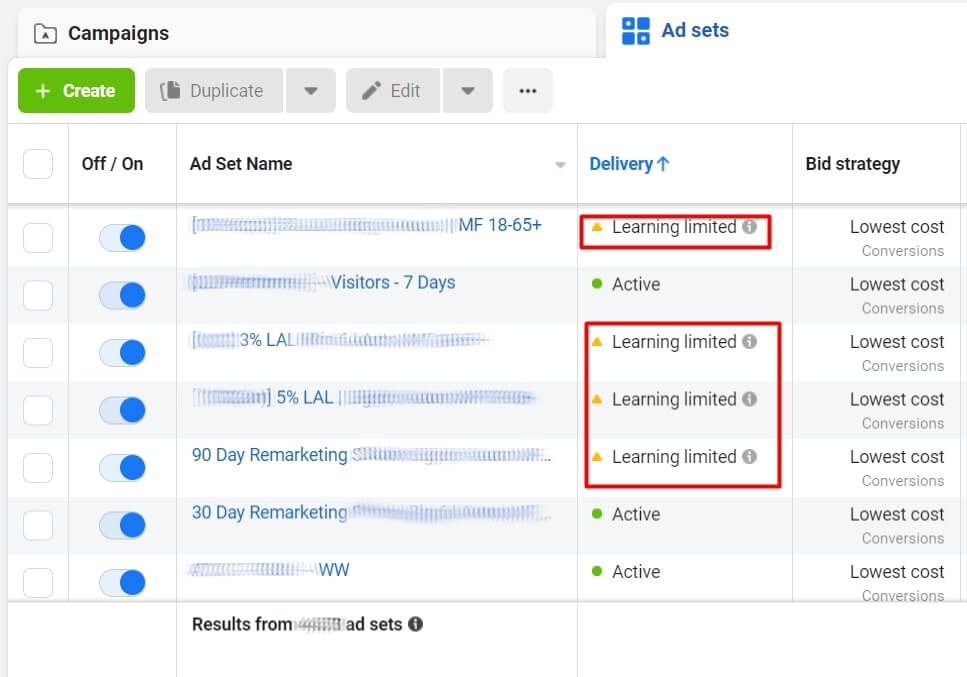
2. Ads stuck in the learning limit
Sometimes when you launch a new campaign, Meta’s algorithm enters a learning phase where it basically gathers data to optimize delivery,
And if the algorithm is not able to collect enough conversion data, the ad set may enter a learning limited state.
Now, this usually happens when:
When ads are in the learning limit, delivery can become unstable,
and spending may slow down significantly, but don't worry; here is how you can fix this issue.
READ MORE: How New Targeting Works In Meta Ads?
How to fix it?
Our aim here is to help the algorithm collect enough signals so it can optimise the ad delivery.
While I could dive deeper here, I’ve already covered
3. Payment-related issues
Another very common reason why most ads stop spending is payment failure, and this might be a very common problem you may realise.
If Meta can not successfully charge your payment method, it will stop delivering ads immediately.
Now there are many reasons as to why it can happen; some of the common ones include, but are not limited to:
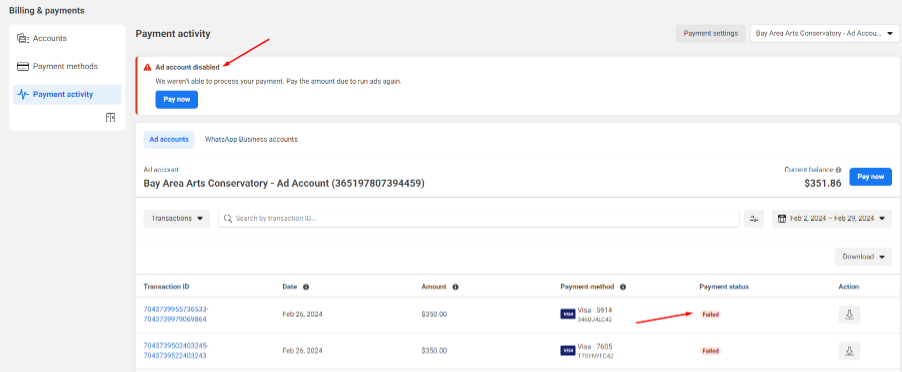
When these problems happen, even active campaigns will not spend any money until the payment problems are solved. Now, how can you fix it?
How to fix it?
Keeping your billing setup updated ensures that your campaign continues running smoothly.
Sometimes, the problem is not from your side, and in this case, the issue can be from Meta itself.
up, if you are familiar with Ads Manager, then you must have experienced frequent glitches. Most of the time, these glitches can be annoying but fixable just by refreshing the page,
but there are some days when the problem is serious; the Meta algorithm might start spending unevenly among your ad sets and, in serious cases, might even refuse to spend money at all.
There is no certain fix to this problem, but the good news is that it's not something permanent.
These kinds of ad spend-related glitches are fixed within a day or two max, and after that, you can resume running your ads normally.
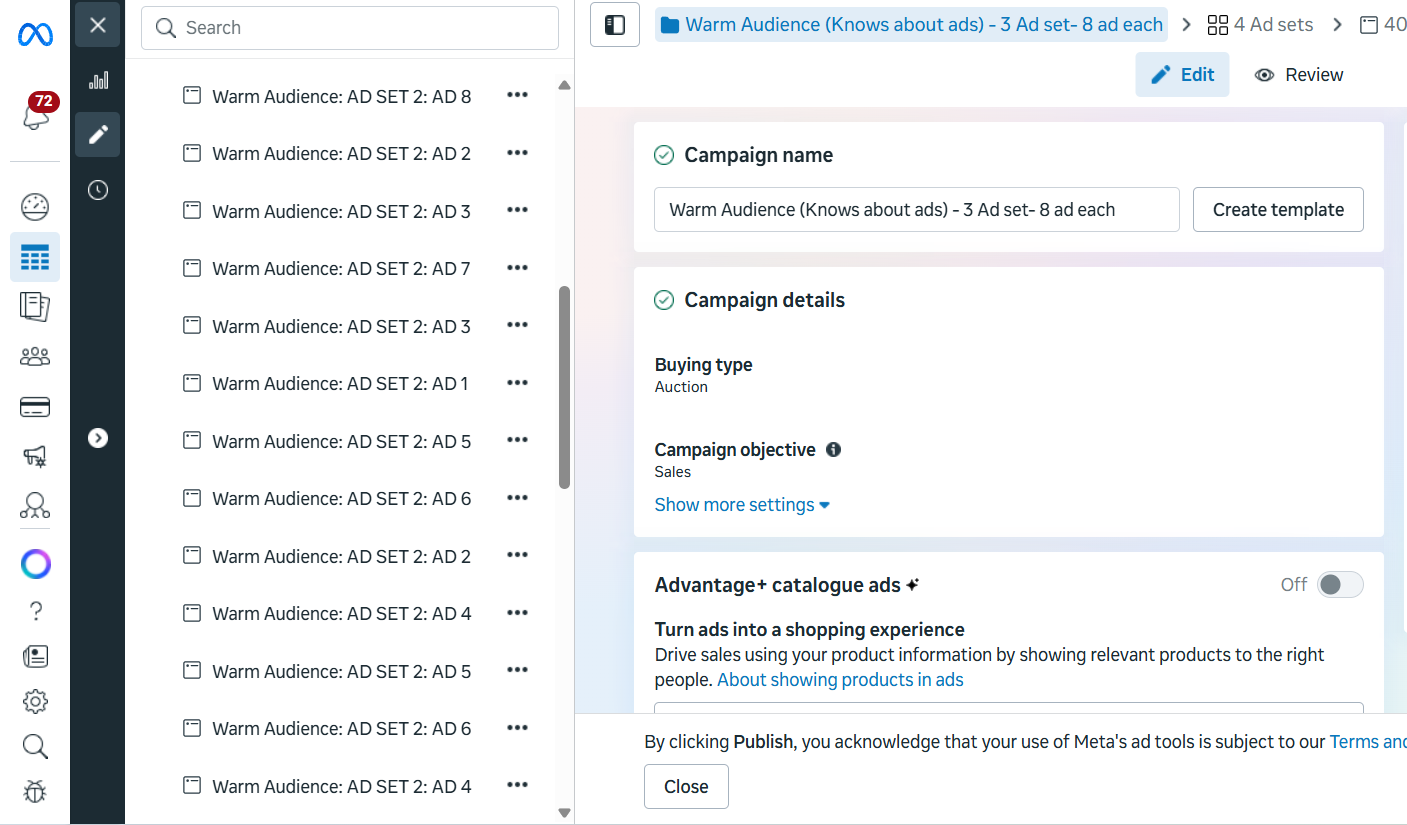
5. Too Many Ad Creatives
Uploading too many creatives inside one ad set can also affect ad delivery.
While it may seem like giving the algorithm more options is helpful, having too many creatives can actually divide the budget across multiple ads,
preventing each creative from receiving enough impressions to generate meaningful data.
Now, because you have put in so many ads, the algorithm gets confused, and each ad gets very little spend as the system gets confused on which ad to spend more money on.
How to fix it?
6. Policy Violation
Sometimes it's very common that, due to some reasons, your ads may end up violating the terms and services of Meta, due to which your ads get rejected or your spending stops, even if your campaign appears active.
Common policy violations include:
How to fix it?
Conclusion:
When Facebook ads are not spending money even after setting up a campaign, it can be frustrating, but in most cases, this problem can be fixed by resolving these common issues.
By checking out all these areas in your ad manager, you can quickly identify the problem and restore ad delivery.
Running a successful ad campaign requires not only good targeting and creative strategy but also attention to account-related settings, billing setups, and platform policies.
Once these elements are properly managed, your ads will have no issues bringing in money efficiently and delivering the results. So, all the best and happy learning.
READ MORE: AI vs Manual Facebook Campaigns: Which Strategy Works Best in 2025?

DAMINI TRIPATHI
Damini Tripathi, rocking the digital marketing scene for 5 awesome years. Started from scratch, now running my digital marketing agency and creating cool content too. She has been one of the fastest-growing digital marketers on the internet. Damini has also scaled multiple clients from ZERO —> HERO.